

Sample Estimating Worksheet
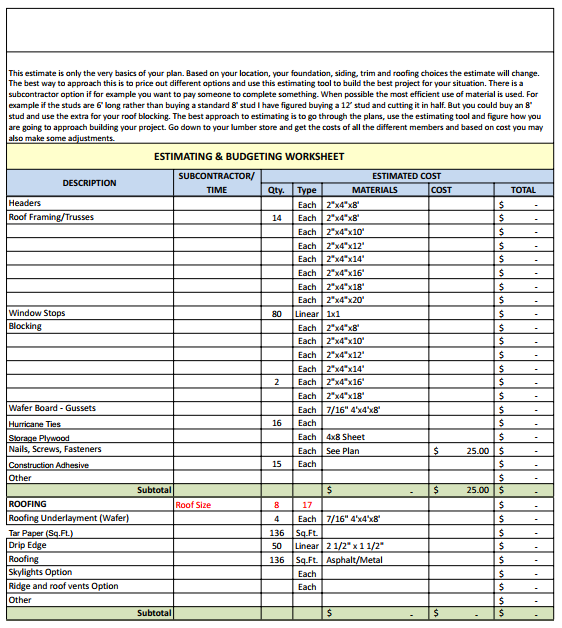
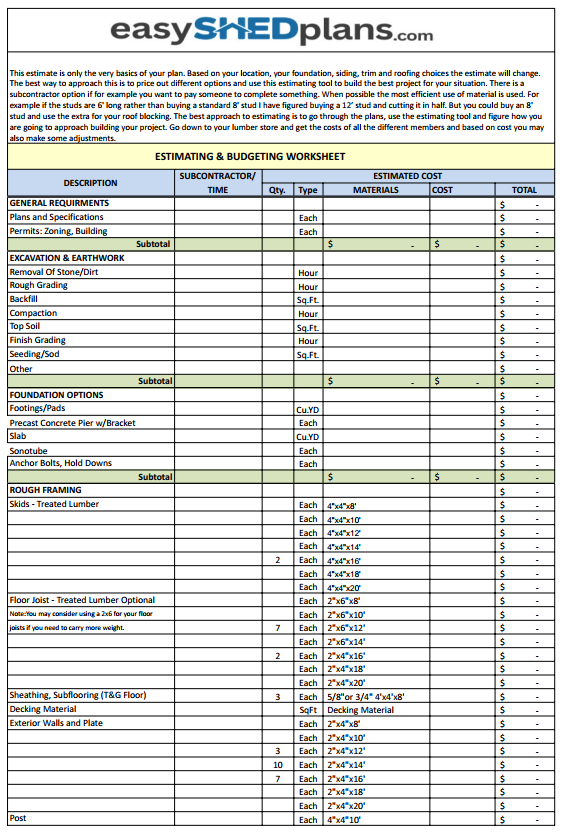
Preview the budgeting tool included with every EasyShedPlans download. Use it to price materials, compare options, and plan your build with confidence.
Worksheets
Works with Excel, Google Sheets, and Apple Numbers. Pre-filled categories match the plan pages (over 25 pages per set) and the included material list and tool list.
Benefits
* Editable cells with auto-calculations (subtotals + grand total)
* Categories that match your plan: foundation, framing, roofing, doors/windows, hardware, finish
* Space for notes and subcontractor quotes
* Compare choices (e.g., slab vs skids, siding options) before you commit
* Works in Excel, Google Sheets, and Numbers
“How it works” mini steps:
1. Open the worksheet.
2. Enter local prices/quantities.
3. Review auto-calculated totals.
4. Adjust options (foundation, siding, roof) and compare.
5. Print or save for your lumber run.
Frequently Asked Questions
Do I get this with every plan?
Yes—each plan includes the worksheet.
What software do I need?
Excel, Google Sheets, or Numbers all work.
Can I change categories?
Yes. Add rows or rename sections as needed.
Does it include local pricing?
You’ll enter your local prices so they match your lumber yard.
How does it match the plan?
Line items mirror the drawing pages and the material list and tool list.
“Totals are estimates only. Actual costs vary by region and supplier. Always verify quantities and local requirements.”
Ready to build?
Pick your size and download the plan, worksheet included.